WhatsApp support
WhatsApp support with AI: every message becomes a ticket
People write the way they would explain it over the phone. AI creates the ticket with a category and priority, asks for what is missing, and drops it into the same queue as everything else, with history and follow-up.
A 30-minute demo and 15 days free to try it with your team.

The problem
Reports get lost in a chat nobody else can see
A problem arrives on someone's WhatsApp, gets answered between other conversations, and stays there. Nobody else sees it, there is no history, and nobody knows whether it was handled. Asking people to fill in a form does not fix it either: from a phone, almost nobody opens one.
- Reports live in personal chats: if the person who received one is out, nobody else knows it exists.
- There is no owner and no follow-up: with no status or date, you cannot tell what is still open or since when.
- A message with three requests becomes a single thread, and the third one gets lost.
- Half-written reports arrive, like "it doesn't work", and it takes back and forth to learn what happened and on which screen.
- Forms ask for more than people are willing to type, so they go unfilled.
How it works
From a WhatsApp message to a ticket with follow-up
- 01
The person writes
They send a message to Flouster’s WhatsApp number from their phone, already registered by an administrator of your organization, in their own words and, if they want, with a screenshot. There is no form and no commands to learn.
- 02
AI classifies and asks for what is missing
It sets the category (bug, change or improvement, question or other), the priority and the module when the text makes it clear. If the message holds several requests, it proposes splitting them and asks whether to register them all or as one. If an actionable detail is missing, it asks up to two specific questions.
- 03
It joins your team's queue
The ticket is created under the sender's name, with their original message and attachments, and they get the ticket number and link. Your team sees it in the same queue as every other ticket, with history and comments.
- 04
It is followed up until it closes
When your team replies or resolves it, the person gets a notice in the same chat. If the problem persists, they reply and the ticket is picked up again. If your organization turns it on, they can also rate the support from 1 to 5.
What WhatsApp capture does
-
Suggested category, priority and module
Each request comes out classified as bug, change or improvement, question or other, with a critical, high, medium or low priority. The module is only filled in when the text names it, and when the AI is not sure it treats the result as a suggestion so your team can review and correct it.
-
Several requests, separate tickets
When someone writes "and also..." in the same message, the AI detects each request and asks whether to register all of them, only some, or as one ticket. Nothing ends up buried inside another request's thread.
-
Asks only what it needs
It turns "it doesn't work" into a report someone can pick up: up to two specific questions, such as which screen it happened on or which message appeared, and only when something is missing. It does not ask for details the system already knows, like name or email.
-
Tells what the person wants
Not every message is a report. If someone asks "what do I have open", they get the list of their pending tickets; if they ask for help, they are told how the channel works. That keeps the queue from filling up with tickets that were really questions.
-
Screenshots and the original message
Images the person sends are saved as ticket attachments. If they send a screenshot with no text, the chat asks for one line of context. The original conversation is kept next to the ticket so you can compare it with what the AI understood.
-
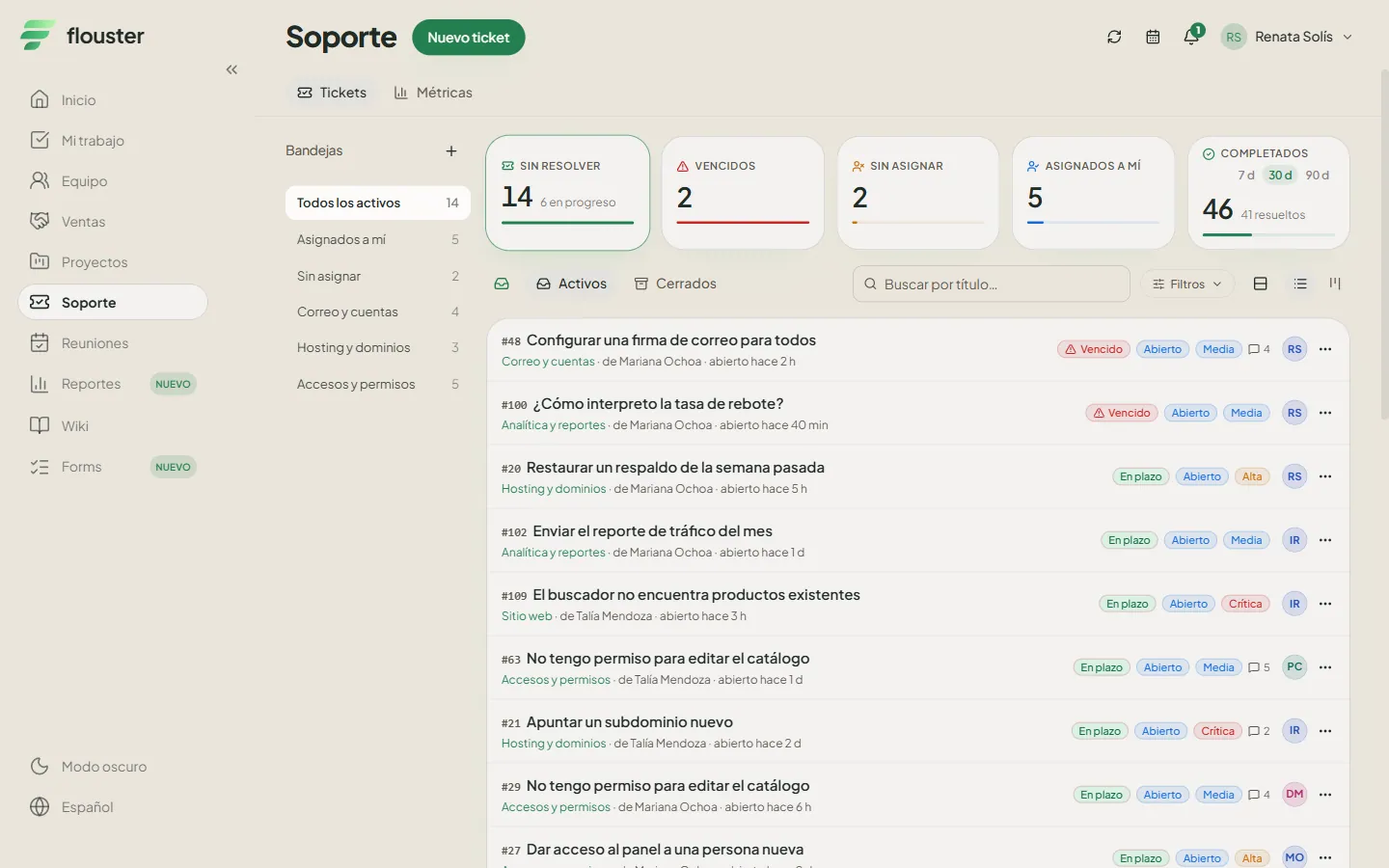
The same queue, with history, SLA and CSAT
A WhatsApp ticket does not live apart: it shares the queue with tickets your team captures, with history, comments and SLA, and it can be linked to a project task. The satisfaction rating (CSAT) is requested on closing, if your organization enables it.

Who it is for
For teams that already receive reports on WhatsApp
It fits support, IT and customer service teams that already get problems and requests on WhatsApp and want a single queue with follow-up, without asking anyone to open another tool to report. Each phone is linked once to a person with access to the organization, and from then on tickets are created under their name.
Frequently asked questions
How does WhatsApp support work in Flouster?
The person writes their problem or request to Flouster’s WhatsApp number from a phone that an administrator of your organization has registered, in their own words. AI creates the ticket with a category, a priority and, when the text makes it clear, the module; if details are missing, it asks up to two specific questions. The ticket joins the same queue as all the others, with history, comments and SLA, and the person is notified on WhatsApp when your team replies or resolves it.
Does the AI decide how a ticket is handled?
No. AI classifies and prioritizes what comes in and asks for what is missing; when it is not sure, it presents the result as a suggestion. Your team can review and correct any ticket and decides how it is handled. AI speeds up capture and triage; it does not replace the judgment of whoever provides the support.
What happens if someone sends several problems in one message?
The AI separates them into distinct requests and asks the person whether to register all of them, only the ones they choose, or as a single ticket. If they accept, each request becomes its own ticket in the queue. That way none gets lost inside another one's thread.
What about messages that are not a report, like "what do I have open"?
The AI tells whether the person wants to report something, check their tickets or ask for help. If they ask about their tickets, they get the list of pending ones with number and status; if they ask for help, they are told how the channel works. Those messages do not become tickets, so the queue does not fill with junk.
Where is data stored and what does my organization need to do?
Information is stored on servers located in Mexico, isolated per organization. AI classification is processed by specialized providers; the privacy notice explains how. Your organization registers the phones that can write in and is responsible for telling those people that their messages are recorded as tickets and classified with AI.
See it with your own reports
Book a demo and we will show you how a WhatsApp message becomes a ticket with a category, a priority and follow-up.