Client portal
Your client logs in to see their project progress, deliverables and tickets, and raises requests without having to ask you.
Where work flows together.
Tickets, projects, goals and meetings in one platform. What your client reports — even over WhatsApp — becomes planned work, without entering anything twice.
A 30-minute demo and 15 days free to try it with your team.
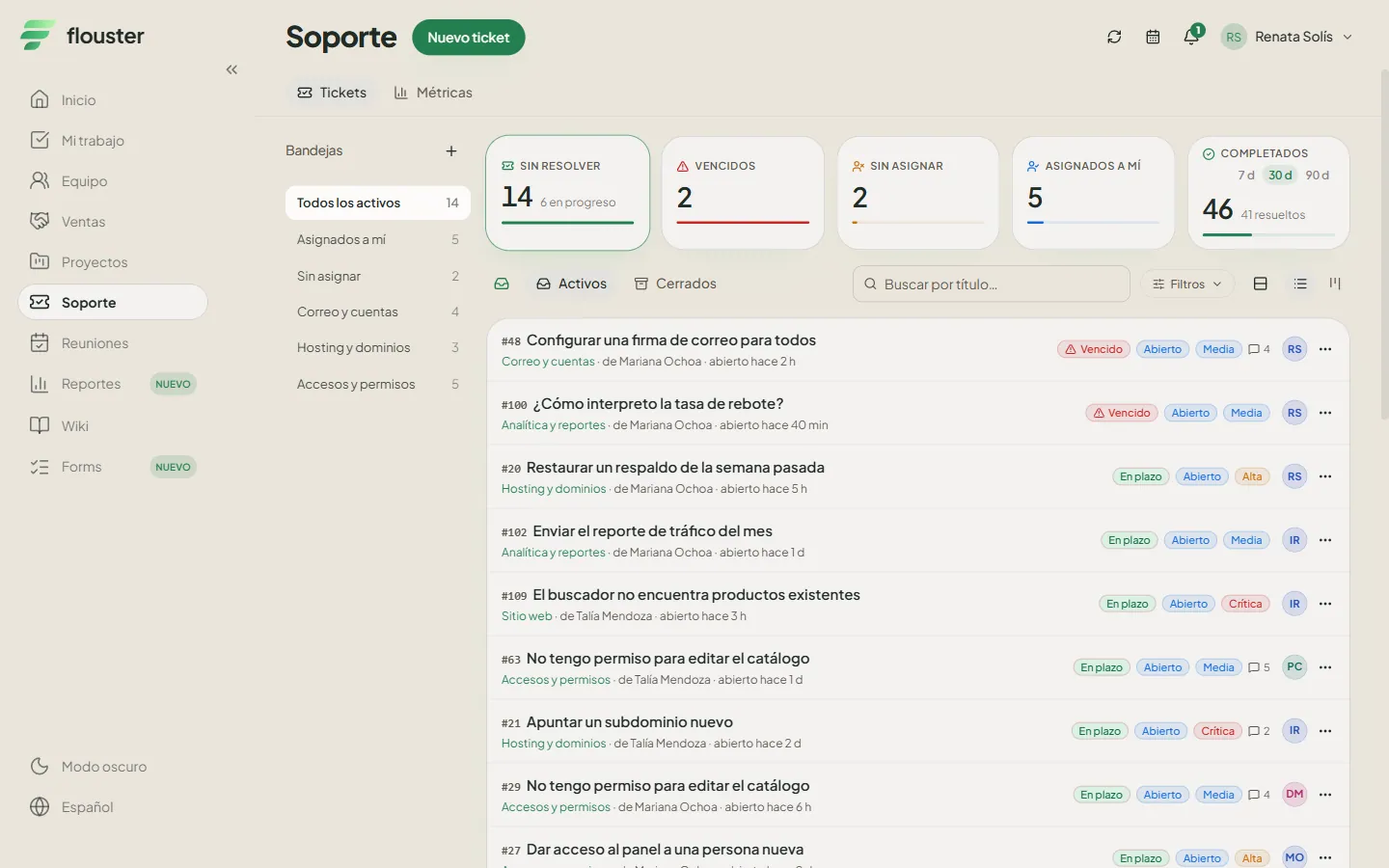
Switch between kanban, list and calendar depending on how each team works. Same information, the view each person needs.
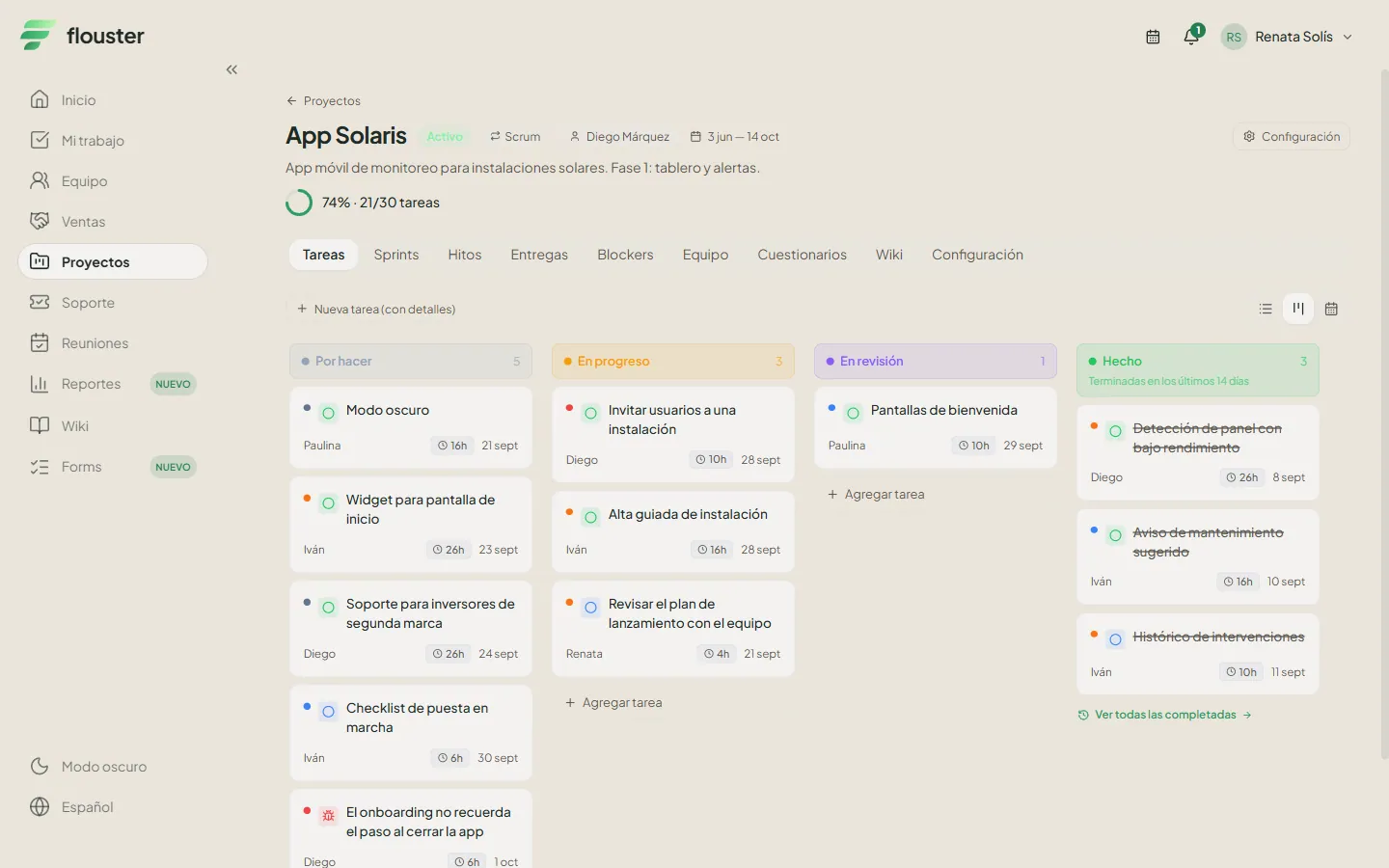

Initiatives, projects, milestones, tasks and deliverables. Tickets link to the tasks that resolve them, with full history.
Every module shares the same projects, people and tickets: nothing to keep in sync between tools.
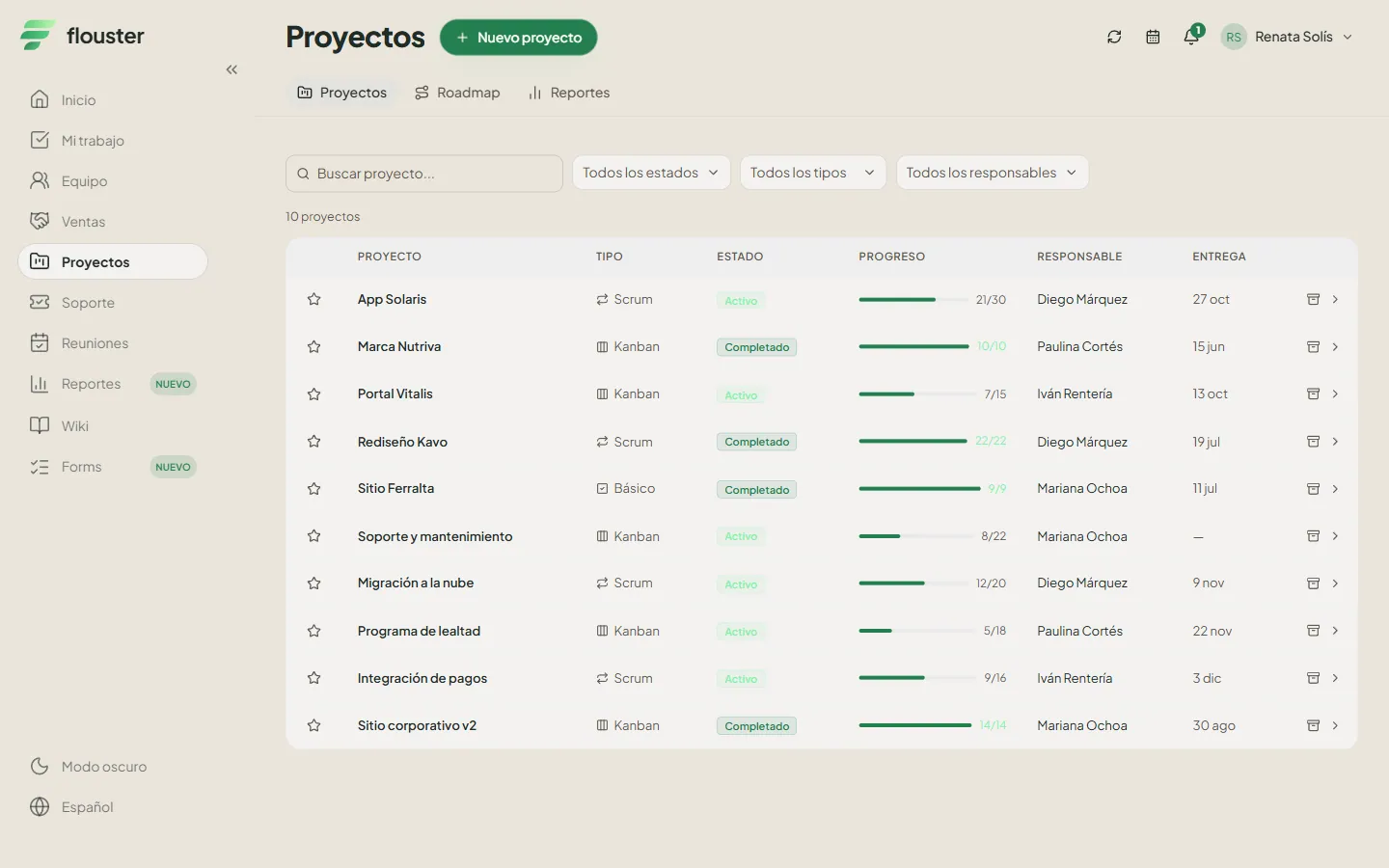
Categories, priorities, comments, attachments and response times. On close, a satisfaction survey (CSAT) measures how the requester experienced it.
Ask for concrete answers with a due date and know which ones are missing. Reusable templates and drafts you can resume.
Channels and direct messages tied to project context, plus in-app alerts and push notifications.
Schedule, write the minutes and turn every agreement into a real task with an owner, not a line nobody reads again.
See each person’s workload before assigning, so you stop overloading whoever always says yes.
Set goals, track progress on each key result and link them to the projects that move them.
The month’s cut by projects, support and teams, with a branded PDF ready to share.
Processes, decisions and documents with a rich-text editor and search, next to the work they belong to.
Companies, contacts and deals in the same place where delivery lives, so you know what was promised and what is being done.

Your client logs in to see their project progress, deliverables and tickets, and raises requests without having to ask you.
Nobody fills in a form. The person describes the problem the way they would over the phone, and AI triage creates the ticket with its category and priority, and asks for whatever is missing. Every message lands in the same queue as the rest of the work.
A WhatsApp message or a ticket captured by your team reach the same queue, with history and an owner.
Category, priority and module come from the message itself. If the AI isn’t sure, it flags it as a suggestion instead of taking it for granted.
If one message holds three requests, you get three tickets. If an actionable detail is missing, it asks before sending it to your team.
my email hasn’t opened since this morning, I restarted twice and it’s still the same
Ana Rivas · 2 min ago

Ticket created. Before sending it to the team I need one detail: do you see any error message when you open your email?
user signup breaks on the phone, sending you the screenshot
Diego Salas · 8 min ago

Ticket created as a bug, with the screenshot attached to the conversation. I set the priority to critical because signup is blocked.
the logo looks blurry in the report and I also need access to the sales dashboard
Lucía Ortega · 20 min ago

I found two separate requests in your message and filed one ticket for each, so each gets handled by the right person.
analyzing the report
Try a sample report:
Illustrative demo: reports, names and replies are examples.
Flouster has an API with access keys and an MCP server, so you can connect it to your systems or to an AI assistant. And WhatsApp, the channel where your clients already write to you, goes straight into the ticket queue.
Depending on how your team works, here is what Flouster solves first.
Every request from your coworkers becomes a ticket with a priority, an owner, response times and a full history, instead of getting lost between chat, hallway asks and forwarded emails.
See the use casePeople write the way they would explain it over the phone. AI creates the ticket with a category and priority, asks for what is missing, and drops it into the same queue as everything else, with history and follow-up.
See the use caseSprints, deliverables and your clients’ support requests in one system. Each ticket is linked to the task that resolves it, so your team sees what is holding up a delivery and how much of the work comes from incidents.
See the use caseFlouster is a platform that brings support tickets together with project management, goals, meetings and team. What gets reported — even over WhatsApp — becomes planned work and stays linked to the task that resolves it, without entering it twice.
The person writes their problem to Flouster’s WhatsApp number from a phone that an administrator of your organization has registered, the way they would over the phone. The AI creates the ticket with its category and priority, splits several requests into separate tickets and asks for whatever is missing. Your team sees it in the same queue as every other ticket.
The AI categorizes and prioritizes what comes in, and when it isn’t sure about a message it presents it as a suggestion. Your team can review and correct any ticket: the AI speeds up triage, it doesn’t replace the judgment of whoever handles it.
Yes. Your clients log in to their own portal to see their project progress, deliverables and tickets, and raise requests without asking you. They can also report through WhatsApp.
Pricing depends on your team size. Book a 30-minute demo and, if it fits, try it free for 15 days with your team before you buy.
Your workspace information is stored on servers located in Mexico. Each organization has its own isolated space: one organization’s data is never mixed with another’s, and within your organization each person sees what their role allows. AI classification of tickets is handled by specialized providers, and the privacy notice explains how.
Yes. Flouster offers an API with access keys and an MCP server to connect it to your systems or to AI assistants. We do not advertise native integrations with other apps because we do not have them yet.
Leave your details and we’ll prepare the email for our sales team. If you prefer, write to us directly at ventas@flouster.com.
Stop chasing work across emails, chats and spreadsheets. Book a demo and try it free for 15 days with your team.
We reply by email to agree on a time.